
Selenium AI Automation in 2026
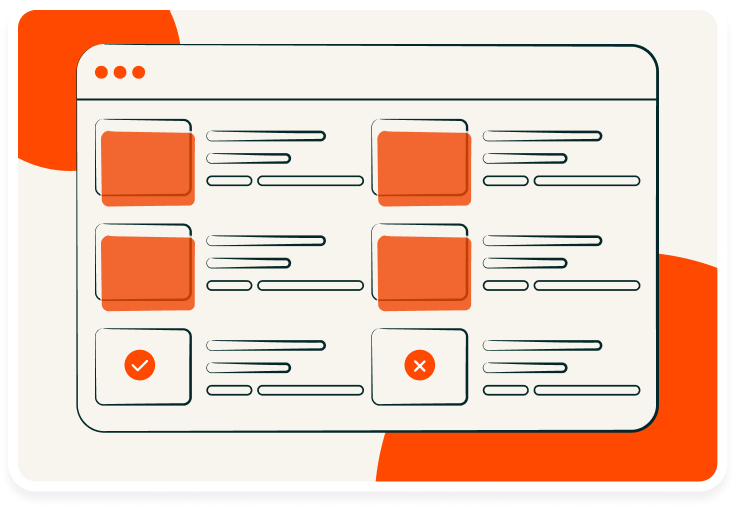
Selenium AI Automation in 2026
Traditional Selenium tests rely on fixed locators and frequent manual updates, which slow down releases and make tests unstable. Using AI with Selenium helps address these issues through self-healing scripts, smarter element recognition, and predictive analysis.
AI improves Selenium testing by increasing accuracy, speeding up test creation, and reducing maintenance. It can detect dynamic elements, identify visual changes, and optimize coverage based on test results, making it suitable for agile and CI/CD workflows.
This guide explains what Selenium AI is, how it works, its use cases, setup, challenges, and best practices.
Understanding Selenium AI: What It Means and How It Works
Selenium AI combines artificial intelligence with Selenium automation to make tests more stable, efficient, and adaptive. Traditional Selenium relies on static locators that often break when UI changes, while AI helps detect, analyze, and adjust to those changes automatically.
Here are some ways Selenium AI enhances test automation:
- Self-healing locators: It identifies and interacts with elements even when their attributes or positions change.
- Visual recognition: It compares screenshots and layouts to detect UI changes beyond DOM attributes.
- Pattern learning: It analyzes past test runs to predict failures and improve element detection accuracy.
- Smart maintenance: It updates locators and test data automatically to minimize manual rework.
By learning from real test data, Selenium AI creates a more reliable, low-maintenance automation setup that fits well within continuous testing environments.
Role of AI in Modern Selenium Testing
AI enhances Selenium testing by making automation smarter, faster, and more context-aware. It goes beyond simple script execution by enabling systems to learn from past outcomes, detect anomalies, and adapt dynamically when web applications change. This ensures higher test stability and reduces the repetitive maintenance often associated with large test suites.
The key roles AI plays in Selenium testing include:
- Improving object detection: AI locates elements using multiple attributes, patterns, or visual similarity, reducing locator-related failures.
- Enhancing test coverage: It analyzes execution history to identify untested areas and recommend additional scenarios.
- Supporting visual validation: AI compares screenshots to detect subtle UI or layout differences that traditional Selenium cannot catch.
- Speeding up root cause analysis: It classifies and prioritizes failures, helping teams resolve issues faster.
- Optimizing test execution: AI learns which tests provide maximum coverage and helps schedule them efficiently within CI/CD pipelines.
Real-World Use Cases of Selenium with AI
AI-powered Selenium testing is now widely used across industries such as finance, e-commerce, healthcare, and SaaS to handle challenges of scalability, maintenance, and test accuracy. It proves especially valuable in projects with frequent UI updates, where manual script maintenance slows down development.
Here are the use cases of Selenium AI.
1. Self-healing test suites
One of the most common uses of AI in Selenium is maintaining test stability when locators break. AI continuously monitors test execution, identifying elements using visual attributes, proximity, and past behavior. When a locator fails, the AI engine detects the closest match and updates it automatically, keeping the suite functional without manual rework.
2. Visual regression testing
Modern web interfaces often change in layout or design. AI-based visual testing compares screenshots or rendered UI states to detect even minor differences. This approach helps teams identify UI drift, misplaced components, and rendering inconsistencies that DOM-based checks usually miss.
3. Predictive failure analysis
AI studies execution logs, past results, and error trends to classify tests as stable, flaky, or high-risk. It learns which parts of an application are more error-prone and prioritizes those areas for maintenance or retesting, improving reliability across runs.
4. Dynamic element handling
Many web apps generate personalized or dynamic content, where element IDs and structures vary across sessions. AI interprets these DOM variations and adjusts locators accordingly, making automation possible for applications that would otherwise require complex dynamic handling logic.
5. Smart test prioritization and optimization
In large CI/CD environments, executing all tests after every change is inefficient. AI analyzes code commits, test dependencies, and execution data to determine which test cases should run first. This approach shortens test cycles and provides faster feedback during integration.
6. Root cause identification
Beyond detecting failures, AI correlates test errors with probable causes, such as broken selectors, environment misconfigurations, or backend issues. This allows teams to resolve problems faster and spend less time investigating false negatives.
Reasons to Invest in AI with Selenium
Integrating AI into Selenium testing delivers measurable gains in reliability, efficiency, and scalability. It allows teams to maintain stable automation even as applications evolve rapidly, reducing repetitive maintenance work and improving test quality.
Key reasons to invest in AI with Selenium include:
- Reduced test maintenance: AI automatically repairs broken locators and identifies the correct elements when attributes or positions change, minimizing manual maintenance and accelerating updates.
- Higher test reliability: AI-driven recognition improves locator accuracy and reduces false negatives, keeping tests stable across frequent UI or layout changes.
- Improved test coverage: AI analyzes execution data to detect untested areas and missing user flows, helping teams extend coverage without creating scripts manually.
- Smarter test execution: AI learns from previous results to prioritize critical tests, providing faster feedback and more efficient use of CI/CD resources.
- Enhanced visual accuracy: AI compares screenshots and UI layouts to identify subtle visual differences, ensuring consistent design and rendering across browsers.
- Greater scalability and adaptability: AI simplifies the management of large test suites and adapts automatically to new UI structures or application logic.
How to Set Up Selenium AI Testing
Setting up AI-enabled Selenium testing involves building on top of a standard Selenium framework and integrating AI tools that enhance detection, maintenance, and analytics. The process focuses on combining traditional automation practices with intelligent, self-healing, and data-driven features.
Step 1: Set up Selenium WebDriver
Install Selenium WebDriver with your preferred language such as Java, Python, or C#. Configure it with your test framework (TestNG, JUnit, or PyTest) and ensure browser drivers like ChromeDriver or GeckoDriver are correctly added to your environment.
Step 2: Choose an AI-powered framework or library
Select a compatible AI-based tool that integrates with Selenium, such as frameworks offering self-healing locators, visual testing, or smart analytics. These tools act as a layer on top of Selenium to add intelligence and adaptability.
Step 3: Configure AI-based element recognition
Enable AI to identify elements using multiple attributes, image patterns, or contextual relationships. This helps maintain element detection even when UI structures or identifiers change.
Step 4: Implement self-healing capabilities
Integrate self-healing mechanisms that automatically update locators during runtime when element properties break. This minimizes script maintenance and prevents test failures due to UI updates.
Step 5: Set up AI-driven visual testing
Combine Selenium with AI visual recognition tools to automatically detect layout shifts, image mismatches, and rendering inconsistencies across browsers and resolutions.
Step 6: Integrate with CI/CD pipelines
Connect your AI-enabled Selenium framework with CI/CD systems such as Jenkins, Azure DevOps, or GitHub Actions. This ensures automated execution, real-time feedback, and intelligent test prioritization during every build.
Step 7: Review and refine test insights
Leverage AI-generated reports to analyze test outcomes, identify flaky tests, and uncover coverage gaps. Use these insights to continuously optimize your automation strategy.
Building an AI-Enabled Selenium Framework
Building an AI-enabled Selenium framework involves combining Selenium’s automation capabilities with AI-driven adaptability, self-healing features, and intelligent analytics. The goal is to create a scalable, low-maintenance framework that learns and evolves as the application changes.
Step 1: Define the framework architecture
Design a modular framework with clear separation of layers for test scripts, object repositories, utilities, and reports. This structure makes it easier to integrate AI components such as self-healing locators, visual analyzers, and intelligent reporting without disrupting existing workflows.
Step 2: Add an AI-based element identification layer
Integrate AI libraries or APIs capable of recognizing elements using multiple identifiers such as visual context, attribute similarity, and structural patterns. This ensures that when the DOM changes, AI can still locate the correct element through pattern learning and similarity scoring.
Step 3: Integrate visual testing capabilities
Incorporate AI-powered visual testing tools that analyze screenshots to detect pixel-level differences, layout shifts, or color mismatches. This helps verify UI consistency and ensures that visual regressions are caught early.
Step 4: Implement self-healing mechanisms
Add a self-healing module that automatically updates or replaces locators when tests fail due to UI modifications. This significantly reduces maintenance time and prevents test failures caused by frequent front-end updates.
Step 5: Enable intelligent analytics and reporting
Use AI-driven analytics to monitor test execution data, identify flaky tests, and detect recurring failure patterns. Intelligent reporting helps teams focus on high-impact issues and improve test reliability over time.
Step 6: Connect to a cloud-based testing platform
Run AI-enabled Selenium tests on a cloud-based tool to validate performance and UI across real browsers and devices. Cloud platforms offer parallel execution, scalable environments, and seamless CI/CD integration, ensuring efficient and continuous test delivery.
Step 7: Build a continuous learning feedback loop
Set up a system for collecting and analyzing data from every test run. Use these insights to retrain AI models, refine locators, and improve prediction accuracy. Over time, the framework becomes more adaptive and requires less manual tuning.
How to Integrate Selenium Tests with AI Visual Testing Tools
Integrating AI visual testing with Selenium helps detect visual defects that traditional functional tests often miss. It ensures that both functionality and appearance remain consistent across browsers, devices, and screen resolutions.
Here’s how to integrate Selenium tests with AI visual testing tools.
Step 1: Choose an AI visual testing tool
Select a compatible AI-powered visual testing platform such as Applitools Eyes, Percy, or similar tools that can integrate with Selenium. These platforms use visual AI to detect layout shifts, color mismatches, or missing elements beyond standard DOM checks.
Step 2: Capture visual baselines
Run your Selenium tests once to capture baseline screenshots of application pages or components. These baselines serve as visual references against which future builds will be compared.
Step 3: Add visual checkpoints in Selenium scripts
Insert checkpoints in your Selenium test code to capture screenshots at key validation points. The AI visual tool compares these new images with the stored baseline to identify visual differences.
Step 4: Configure AI comparison settings
Adjust AI sensitivity settings to determine how strictly the tool detects differences. Depending on project needs, you can set thresholds for pixel-level changes, layout shifts, or ignored areas (such as ads or animations).
Step 5: Automate comparisons and reporting
Integrate visual validation into your CI/CD pipeline to perform automated comparisons during each build. The AI tool generates detailed reports highlighting visual differences, complete with annotated screenshots.
Step 6: Connect with a cloud-based testing platform
Run visual tests on a cloud-based platform to validate UI across real browsers and devices. This helps ensure accurate visual validation that reflects real user environments.
Step 7: Review and update visual baselines
When intentional UI changes occur, update the visual baselines in the AI tool to reflect the latest design. This keeps comparisons relevant and prevents false positives.
Challenges and Limitations of Using AI with Selenium
While AI adds intelligence and adaptability to Selenium testing, it also introduces challenges related to setup complexity, data accuracy, and interpretability. Understanding these limitations is essential for creating stable and realistic expectations from AI-driven automation.
- Complex initial setup: Integrating AI tools with Selenium requires additional libraries, APIs, or third-party platforms. It demands technical expertise and careful configuration to ensure compatibility with existing frameworks.
- High resource and training requirements: AI tools rely on large datasets and repeated executions to learn effectively. This process consumes time, computing power, and infrastructure that can be difficult to maintain.
- Limited control over AI decisions: AI engines make autonomous adjustments, such as updating locators or skipping false failures. This can reduce transparency and make debugging harder when test results are inconsistent.
- False positives in visual testing: AI-based visual comparison tools may detect trivial UI changes, such as font shifts or dynamic content updates, as failures. Fine-tuning these tools to distinguish significant changes is often challenging.
- Dependence on tool quality and compatibility: The accuracy of AI-driven Selenium testing depends on how well the AI platform integrates with Selenium and supports cross-browser environments. Not all tools maintain consistent reliability.
- Continuous maintenance of AI models: AI systems need periodic retraining and recalibration. Without regular updates, model drift can lead to inaccurate predictions and poor handling of evolving UI elements.
Best Practices for Implementing Selenium AI
Implementing AI in Selenium testing requires a structured approach to balance automation intelligence with stability and control. Since AI adapts through data and repeated learning, following clear implementation practices ensures accuracy, reliability, and long-term scalability. The following best practices help maximize the value of AI-driven Selenium automation:
- Start with stable test cases: Begin integrating AI into areas where locators and UI flows are consistent. This helps the AI engine learn faster and produce more accurate results.
- Leverage AI for dynamic element handling: Use AI-driven locator strategies to identify and adapt to changing attributes, improving test reliability across frequent UI updates.
- Use visual AI selectively: Apply AI-powered visual testing only for components where design accuracy is critical, such as product pages or dashboards. This minimizes noise from irrelevant UI differences.
- Integrate with a cloud-based tool: Run AI-enabled Selenium tests on a cloud platform to access real devices, parallel execution, and CI/CD integration without maintaining local infrastructure.
- Track AI performance metrics: Continuously evaluate the AI model’s accuracy, false positives, and improvement over time. Establish thresholds for acceptable error rates before scaling usage.
- Keep human oversight in the loop: Combine AI decision-making with manual review for complex cases. This ensures that automated insights remain interpretable and actionable.
- Regularly retrain AI models: Update datasets and retrain the AI engine to reflect UI changes, new components, and modern design trends for sustained accuracy.
Downsides of Using Selenium with AI
While AI brings adaptability and efficiency to Selenium automation, it also introduces certain drawbacks that teams should account for before large-scale adoption. These limitations often arise from dependencies on model accuracy, tool compatibility, and interpretability of AI-driven decisions.
- Limited transparency: AI-based tools often make autonomous decisions that can be difficult to trace or explain. This lack of visibility can complicate debugging when results are inconsistent.
- Complex troubleshooting: Since AI dynamically adapts test flows and element locators, identifying why a test failed may require deeper analysis of model behavior instead of just script inspection.
- High learning curve: Integrating AI frameworks into Selenium demands advanced technical understanding, particularly of data-driven algorithms and ML-based workflows.
- Maintenance overhead: Continuous retraining of AI models is essential to maintain accuracy as UI components evolve. Without consistent updates, test reliability declines.
- Cost considerations: AI tools and infrastructure often involve licensing fees or cloud resource costs. Scaling these systems for enterprise environments can become expensive.
- Inconsistent cross-tool support: Not all AI testing solutions integrate seamlessly with Selenium, leading to partial automation coverage or tool incompatibilities that impact performance.
Conclusion
AI-driven Selenium testing combines automation with intelligent adaptability, allowing tests to adjust to UI changes, detect visual issues, and reduce maintenance. It enhances accuracy and coverage by making test execution smarter and more resilient to dynamic web updates.
Related Articles
Automating File Uploads in Selenium in 2026
Discover how to automate file uploads in Selenium, including best practices, methods like sendKeys()...
Selenium and Java in 2026
Understand the core benefits of using Selenium with Java for automation testing. Learn how to set up...
Bypassing Cloudflare Challenges in 2026 using Selenium
Explore effective methods to bypass Cloudflare using Selenium, Puppeteer, and Playwright with ethica...